Blog
By
Nelson Uzenabor

A report that only counts tickets handled can make a busy agent look excellent while hiding poor customer outcomes. First-contact resolution at 70–79% is commonly described as good, and 80% or higher as world-class, according to the customer service report template guidance from Documentero. That's why an agent performance report template needs to measure quality, efficiency, outcomes, and, increasingly, AI behavior in one balanced view.
I rolled out reporting for a 60-seat support team, and the lesson was simple: managers rarely use the dashboards with the most charts. They use the reports that answer three questions quickly. Who needs help, what behavior needs to change, and whether the change improved the customer experience?
The right template should score human and AI agents against shared service outcomes without pretending they work the same way. Humans need coaching signals such as response quality and resolution behavior. AI agents need measures such as intent accuracy, escalation quality, and hallucination flags. The structure below gives you a practical layout, review cadence, automation path, and calibration routine.
Table of Contents
Why a Standardized Agent Performance Report Template Matters
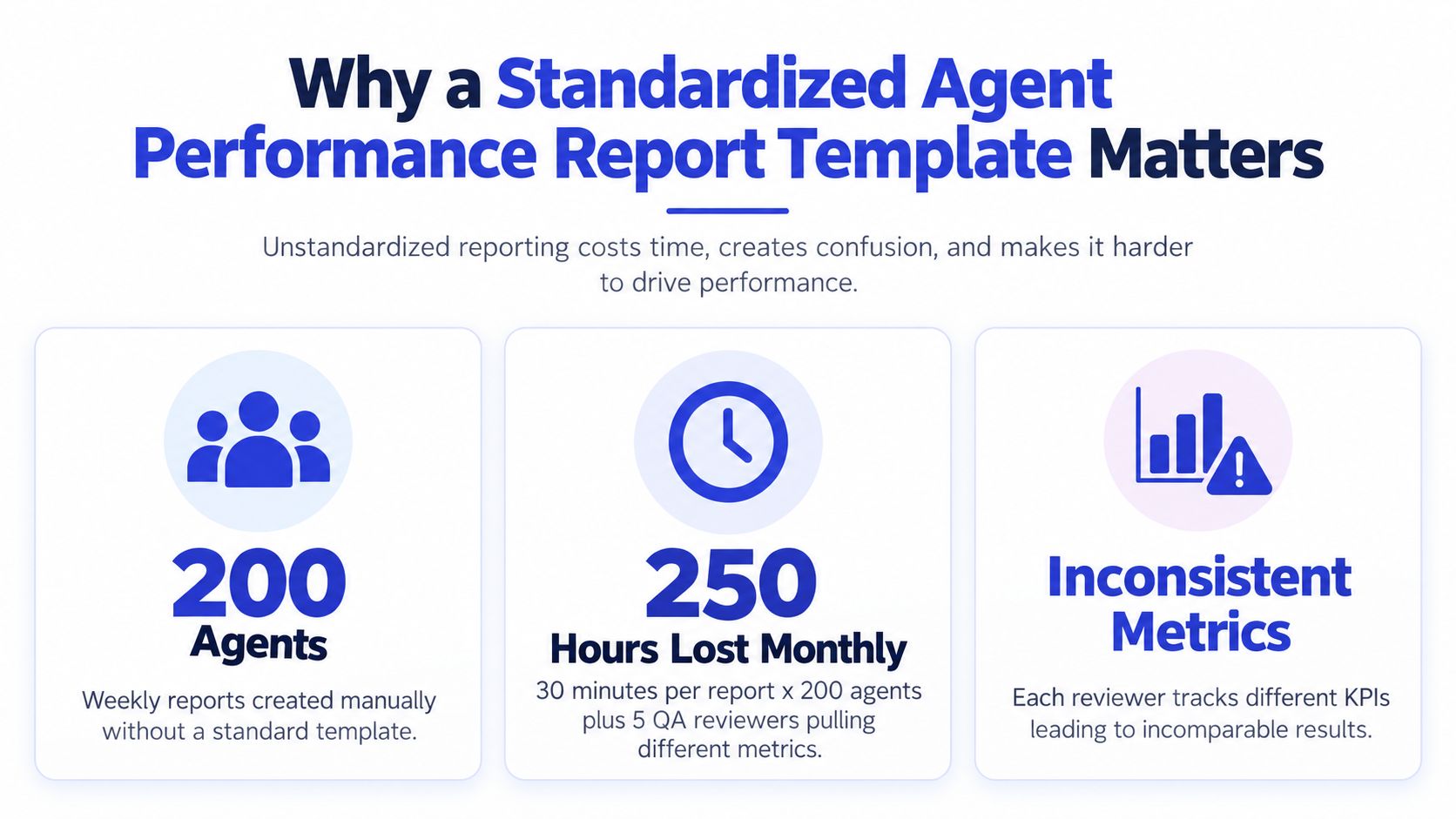
A report can look detailed and still produce inconsistent decisions. One manager exports ticket counts, another samples CSAT differently, and a QA reviewer scores conversations from another period. The team then enters the review meeting with several spreadsheets and no shared performance view.
A standardized agent performance report template removes those conflicts before the review starts. Set the reporting window, define ownership for each field, record the calculation method, and use the same structure for every human and AI agent. The Documentero's customer service report template is a useful reference for organizing service-report fields, but the operating rules matter more than the visual format.
Standardize decisions before formatting
Set four rules before choosing colors, charts, or dashboard cards:
Metric definition: State what counts as a first response, resolution, escalation, valid sample, or satisfied customer.
Reporting period: Use a fixed weekly, monthly, or team-level window, and apply the same cutoff to every agent.
Scoring method: Keep raw values visible, then show normalized and weighted scores separately.
Action threshold: Specify which result triggers coaching, recognition, investigation, or no action.
Use the same outcome categories for people and AI, while preserving agent-specific evidence. A human review can include coaching notes and response-quality observations. An AI review can include intent accuracy, escalation handling, and hallucination flags. Putting those signals in separate fields prevents automation volume from inflating a human productivity score or making human handle time look comparable to system latency.
The template should also make one-on-ones factual. Managers can review a low QA result, a recurring reopen pattern, or an escalation decision without debating which spreadsheet produced the figure.
If you are building outbound support alongside inbound service, resources such as hire cold callers can inform recruiting decisions. Keep hiring activity separate from agent scorecard results, even when both workflows sit under the same operations team.
Practical rule: If two managers can calculate one KPI differently, the template is unfinished.
Each review must end with an owner, a behavior to address, a recorded action, and a check in the next reporting period. That closes the loop between measurement and improvement.
The Core KPIs Every Agent Performance Report Should Track
A report should answer four questions: how efficiently the agent works, how well it serves customers, whether it produces the intended outcome, and whether its decisions are reliable. Build the KPI stack around those questions, not around every field your help desk can export.
Start with efficiency. Track first response time, tickets handled, resolution rate, and average handle time where the channel makes that measure meaningful. Average handle time belongs in phone reporting because it reflects human interaction work. For an AI agent, system latency, routing delay, tool calls, and automated steps should appear in separate fields. Putting them into the human productivity score distorts the comparison.
Quality needs its own block. Use CSAT, a weighted QA score, compliance flags, and policy errors. Define the rubric before reviewing interactions, then calibrate reviewers against the same examples. The Talent Pronto evaluation best practices resource offers a useful reference for structuring service evaluations. Use this customer service KPI guide to tighten definitions, but set targets from your channels, queue mix, and risk level.
Outcome metrics show whether the interaction solved the customer's problem. Include first-contact resolution, escalation rate, ticket reopen rate, and the business result your support team can influence. For AI agents, add intent recognition accuracy, handoff completeness, resolution flags, and hallucination incidents. A bot that deflects volume while sending incorrect answers should not receive a strong outcome score.
KPI | Bucket | Human Agent | AI Agent |
|---|---|---|---|
First response time | Efficiency | Core KPI, measured by channel and queue | Report separately from routing and system delay |
Average handle time | Efficiency | Core for phone work | Exclude from human productivity scoring, or show as system latency |
First-contact resolution | Quality and outcome | Core KPI | Core outcome KPI, verified through sampled cases |
CSAT | Quality | Core KPI, with response volume shown | Core KPI, separated by automated and human-handled interactions |
QA score | Quality | Use a calibrated interaction rubric | Use an evaluator covering accuracy, tone, policy, and safety |
Escalation and handoff quality | Outcome | Record reason, ownership, and context | Record trigger, completion, and context passed to the human |
Intent recognition accuracy | AI-specific | Optional for teams using intent labels | Core diagnostic KPI |
Hallucination flags | AI-specific | Track policy or factual errors | Core risk KPI, with defined severity levels |
Utilization and adherence | Workforce health | Useful for staffing and schedule management | Do not treat as a human-workload measure |
Keep the benchmark column internal and explicit. Record the target, sample window, exclusions, and direction of success for every KPI. A target without those rules invites inconsistent scoring, especially when a human agent and an AI bot share a queue.
The strongest templates use shared outcome fields and separate diagnostic fields. Humans can be reviewed on coaching observations, policy judgment, and response quality. AI agents can be reviewed on intent accuracy, escalation handling, tool use, and hallucination flags. Score both against the same customer outcome, but never pretend that a machine's response latency equals a person's handle time.
Do not force identical metrics onto humans and AI. Use one report structure, preserve raw evidence, and let each agent type carry the measures that explain its actual work.
Designing the Template Layout With Weighted Scoring
Keep the report to one primary dashboard view. The header needs agent name, team, reporting period, channel, agent type, and reviewer. Each scoring row should show the KPI, raw value, internal benchmark, scoring direction, weight, weighted score, and action note. For every benchmark, record the target, sample window, exclusions, and whether higher or lower performance is better. A target without those rules produces inconsistent results when human agents and AI bots share a queue.
Organize the layout around shared outcomes and separate diagnostics. Use blocks for efficiency, quality, outcome, and agent-type-specific measures. Human reviews can include coaching observations, policy judgment, and response quality. AI reviews can include intent accuracy, tool use, escalation handling, and hallucination severity. Both types should be judged on customer outcomes, while their diagnostic fields explain how each reached that outcome.
Do not force identical metrics onto humans and AI. A bot's response latency is not the same measure as a person's handle time. Preserve the raw interaction evidence, then apply the measures that reflect the agent's actual work. For a human-only report, omit the AI block rather than assigning it a meaningless zero. For an AI report, reduce the influence of human-effort measures and increase the weight of intent accuracy, resolution success, and handoff quality.
MetricNet's sample contact-center benchmark report illustrates how operational and quality measures can contribute to one combined score instead of rewarding raw volume alone.
Use a transparent formula
Normalize each KPI onto a common scale, multiply it by its weight, and add the results:
Composite score = sum of normalized KPI score × KPI weight
Use a status flag to guide action. Green at 85 or above, amber from 70 to 84, and red below 70 can serve as an internal convention. Document the scoring direction, since lower response time and lower escalation rate may both be favorable.
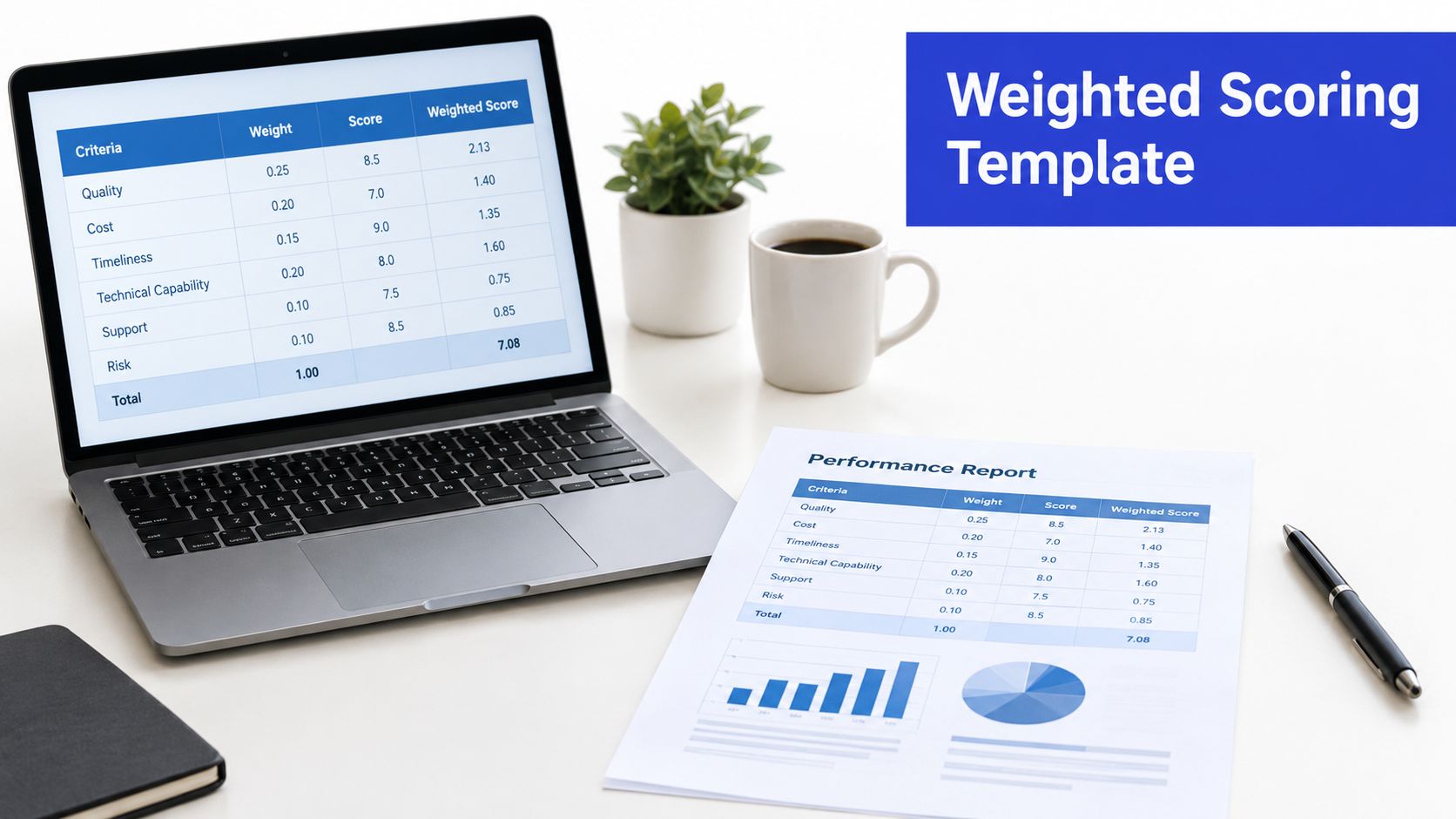
Do not let decimal places create false precision. Before each review cycle, reviewers should score the same sample, resolve disagreements, and lock the rubric before coaching begins.
A scorecard earns trust when agents can trace every score to a ticket, call, conversation, or explicit rule.
Sample Templates for Weekly, Monthly, and Quarterly Reviews
Three review cadences serve three management jobs. Weekly reporting catches drift early. Monthly reporting supports coaching and follow-through. Quarterly reporting gives operations leaders a concise view of capacity, customer impact, and direction.
Keep the weekly scorecard narrow enough to use in a live one-on-one. Track CSAT, first response time, resolution rate, tickets handled, and QA score. Add one coaching note tied to a specific behavior. The same layout can score human agents and AI support bots, but the fields must reflect the work each agent performs. Human reports can emphasize response quality and judgment. Bot reports should emphasize intent accuracy, successful resolution, and handoff quality. Shared KPI definitions keep the comparison fair without treating missing human-effort data as a zero.
Monthly coaching reports need context, not another copy of weekly totals. Add KPI trends, recurring contact topics, escalation rate, reopened tickets, and action items from the previous one-on-one. Link every action to a metric and review date. For workflow examples, use this customer service reporting guide.
Report Type | Primary Metrics | Audience | When It Pays for Itself | Cadence |
|---|---|---|---|---|
Weekly scorecard | CSAT, first response time, resolution rate, tickets handled, QA | Team lead and agent | When managers need early warning and fast feedback | Weekly |
Monthly coaching report | KPI trends, QA themes, escalation rate, top and bottom topics, actions | Manager and agent | When one-on-ones need evidence and follow-through | Monthly |
Quarterly executive summary | Volume, SLA attainment, cost per resolution, team CSAT, utilization, trajectory | Operations and leadership | When staffing and investment decisions need a concise view | Quarterly |
Quarterly summaries should show volume, SLA attainment, cost per resolution, team CSAT, utilization, and trajectory. Staffing decisions also require channel-specific weighting. Phone teams may need handle-time and adherence context, while chat teams may need concurrency, response quality, and clean handoffs. Apply the same scoring framework to AI channels, then compare only metrics with matching definitions.
Connecting Live Data Sources for Automated Reporting
A report is only as reliable as its data pipeline. In a 60-seat support operation, manual exports create silent errors quickly: a lead pulls CSAT from Zendesk, ticket volume from Intercom, call data from Genesys, then combines them in a spreadsheet where a filter or column shift can distort both human and AI agent scores.
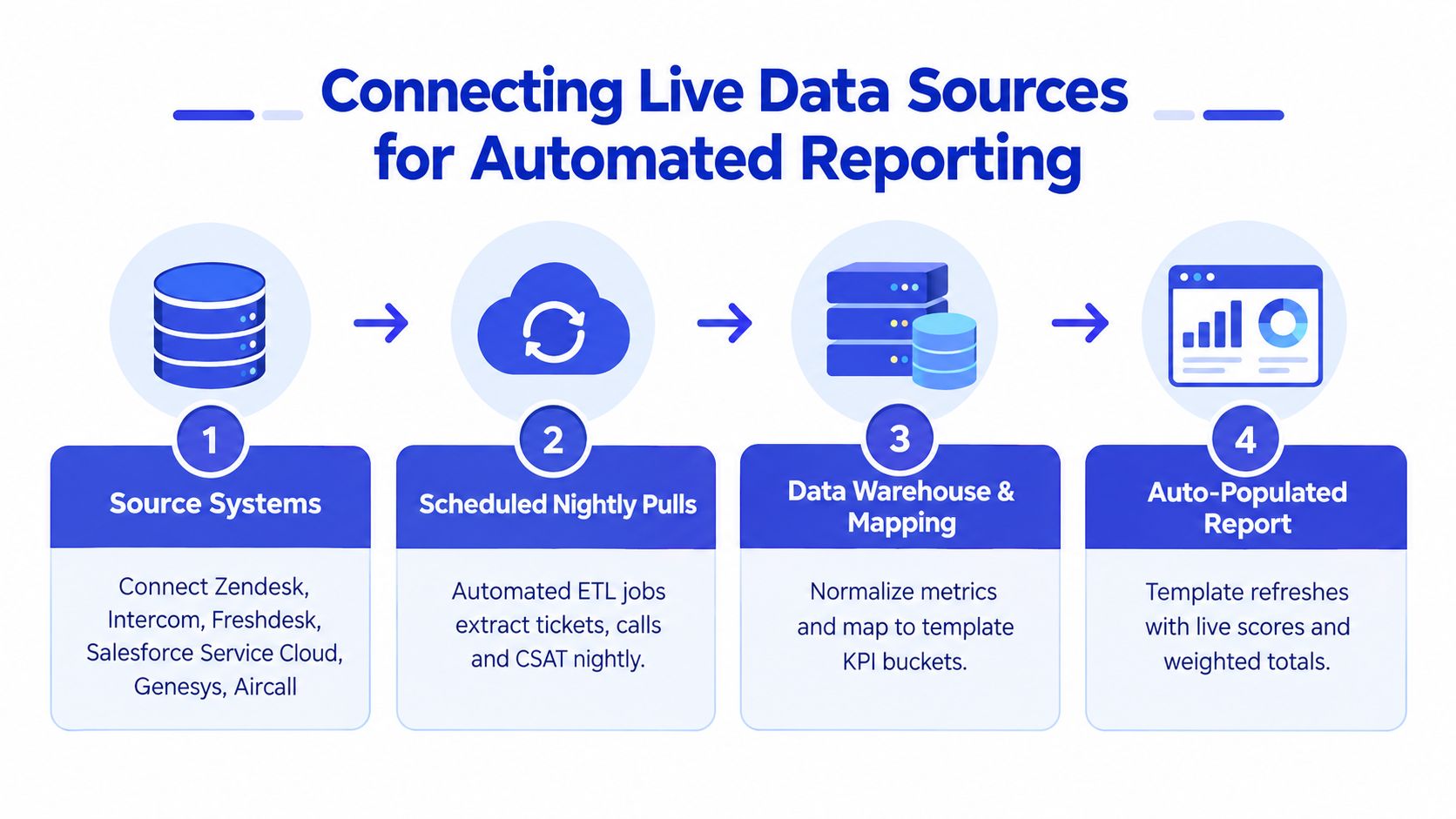
Build the pipeline in four layers:
Source systems: Connect Zendesk, Intercom, Freshdesk, Salesforce Service Cloud, Genesys, Aircall, and each AI conversation channel.
Scheduled extraction: Pull records through native APIs or middleware such as Fivetran and Airbyte on a consistent schedule.
Transformation and mapping: Normalize fields in BigQuery, Snowflake, or Postgres, then map every record to defined KPI buckets.
Report rendering: Display results in Looker, Tableau, Google Sheets, or Power BI.
AI bots belong in the same template, with separate identifiers and definitions. Connect conversation logs and outcomes through webhooks, REST APIs, or tools such as Zapier. Create an agent_id mapping for every bot, then store resolution flag, handoff status, intent result, and quality evaluation beside the human-agent fields. Compare only metrics with matching definitions. Do not treat missing human-effort data as a zero, and do not assign bot activity a human handle-time score.
For broader workforce workflows, performance management for frontline staff offers useful context for linking operational reports to coaching and employee records. Set permissions and data ownership before combining human records with automated interactions.
This video provides a visual reference for connecting operational data to reporting workflows.
Start with one help desk, one scheduled export, one normalized spreadsheet, and one dashboard. Audit that flow before adding a warehouse. The customer data integration guide helps define field mappings before automation begins.
Common Reporting Mistakes and How to Fix Them
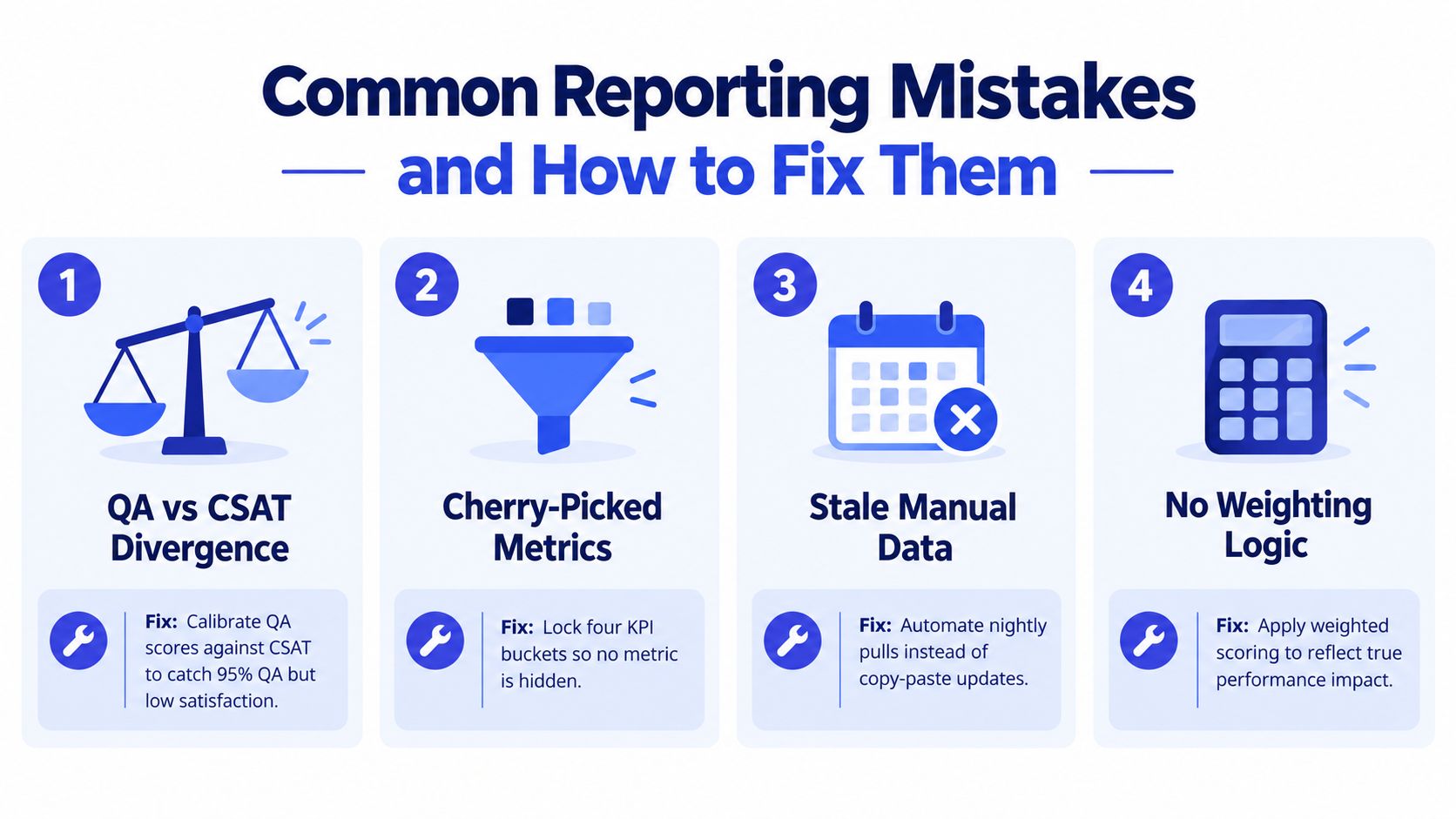
A scorecard fails when it turns one metric into a verdict. High QA can sit beside low CSAT because the rubric rewards behaviors customers do not value, the queue contains harder cases, or surveys favor a particular group. Review the relationship between measures instead of averaging away the conflict. The Level AI guide to call-center metrics also warns against reading QA and CSAT in isolation.
Sampling errors create the next false conclusion. Replacing two convenient calls with ten stratified calls, distributed across interaction types, shifts, and tenure, gives reviewers a fairer view and makes unusual scores easier to identify. Use the same sampling rule for human agents and AI bots, but define the unit consistently. A bot conversation may end in resolution, handoff, or repeat contact. Those outcomes belong beside human QA fields, not inside a human handle-time measure.
Fix the scorecard before blaming the agent
Apply these controls:
Compare QA with CSAT: Investigate divergence rather than hiding it in an average.
Lock the sample method: Record the selection rule, channel, interaction type, and reviewer.
Stop weight creep: Give the strongest weights to measures tied to service outcomes.
Separate AI timing: Report routing latency, model latency, human handle time, and handoff delay separately.
Calibrate reviewers: Score shared examples before using QA trends for coaching.
The XL.net's call-center QA scorecard article recommends at least 8 to 10 calls per agent per month, spread across relevant call types, shifts, and tenure. Use that guidance as an operating baseline, then document exceptions. One or two reviewed interactions cannot establish a persistent human or bot pattern, and inconsistent scoring makes any template arbitrary.
Putting the Template to Work for Coaching and ROI
A performance report earns its place when it changes the next customer interaction. Use each review to select one or two evidence-backed coaching actions, then assign a clear owner. A low first-contact resolution result calls for practice with discovery questions. Strong QA alongside weak CSAT calls for rubric review and conversation-quality coaching. Poor AI handoff quality points to better escalation fields and summary instructions.
Record every action beside the KPI trend:
Assign ownership: Name the manager, reviewer, or product owner responsible for the fix.
Set the review cadence: Mark whether the action returns in the next weekly scorecard or monthly coaching report.
Connect the coaching log: Keep the action with the related KPI, rather than in a separate document.
Recalibrate the model: Review weights quarterly and remove measures that no longer explain customer outcomes.
Use the same scorecard for human agents and AI support bots, but keep their operating measures distinct. Compare resolution quality, escalations, reopen behavior, and customer feedback across both groups. Report human handle time separately from routing latency, model latency, and handoff delay. For AI agents, include deflection and handoff outcomes. A deflected conversation is not successful when the customer returns with the same unresolved issue.
ROI comes from operational comparisons, not decorative dashboard totals. Track cost per resolution before and after a coaching cycle, then review the outcome measures together.
Chatgrow offers custom AI support agents trained on business knowledge, with intent handling and structured escalation capabilities. Those outputs can feed a shared human-and-AI reporting model for customer questions and lead qualification while the team measures outcomes in one template.
More articles from the chatgrow Team