Blog
By
Nelson Uzenabor

At 11:47 p.m., a customer realizes an order has the wrong delivery address. Another user is stuck during onboarding and needs one answer before a meeting in the morning. A SaaS buyer is comparing plans and wants to know whether a key integration is included. None of them wants to wait for an email reply during business hours.
That's the pressure behind an AI chatbot for customer support. Customers want immediate help, while small support teams need to protect their time for issues that require judgment, empathy, or access to sensitive account details. Industry estimates report that more than 70% of customer service organizations had deployed or were piloting AI in 2026, compared with roughly 45% in 2023, according to 2026 AI customer service adoption statistics.
The useful question isn't whether a chatbot should replace your support team. It's whether a chatbot can act as a triage teammate: answering clear questions, collecting the right context, taking approved actions, and sending difficult cases to a person without making the customer start over. This guide explains what that model looks like, how it compares with human-only support, where it works best, how to implement it, and how to measure whether it's improving the economics of service. For additional context on the role of real-time conversations, see this guide to the advantages of live chat.
Table of Contents
Introduction Why Support Needs Instant Answers Now
A support queue creates a mismatch between the customer's urgency and the team's availability. The customer sees a broken checkout, a missing invoice, or a confusing product setting. Your team sees a ticket that arrived after hours and will be handled when someone has time to investigate it.
An AI chatbot can close that gap for straightforward requests. It can explain a return policy, locate an article about password recovery, check an order status when connected to the right system, or ask a few questions before routing a technical problem. The value isn't just speed. It's giving customers a useful next step instead of a confirmation email that says someone will respond later.
This shift is already visible in customer behavior. A 2026 market summary reports that 81% of consumers used a customer-support chatbot in the previous 30 days, while 65% engaged with support chatbots at least monthly and 16% interacted with one in the previous 48 hours. The same summary reports that 64% of chatbot users are between 26 and 45, showing strong adoption among working-age, digitally active customers. These figures come from Botpress's chatbot statistics summary.
For a small e-commerce company, that could mean handling shipping questions while the warehouse is closed. For a SaaS company, it could mean guiding a new user through setup before the next support agent starts work. For an agency, it could mean giving several client websites a consistent first layer of assistance without forcing every client to expand its service desk.
Practical rule: Automate the first useful response, not the entire relationship.
The rest of the decision comes down to boundaries. A good chatbot knows which answers are supported by your knowledge, which actions it's authorized to take, and which signals require a human. Once those boundaries are clear, implementation becomes a practical sequence: prepare trusted content, choose initial intents, design escalation, deploy on high-value pages, and review real conversations.
What an AI Chatbot for Customer Support Really Is
Think of a chatbot as a new teammate who has studied your help center, pricing pages, product documentation, policies, and frequently asked questions. A customer asks a question in ordinary language. The chatbot identifies the likely intent, finds relevant information, forms a response in your brand voice, and checks whether the request falls within its authority.
That process has several parts:
Understanding the request: “My package hasn't arrived” may represent order tracking, a delayed delivery, or a lost shipment. The wording alone doesn't determine the next step, so the chatbot uses context and follow-up questions.
Grounding the answer: The response should come from approved knowledge sources rather than an unsupported guess. If your return policy says an item must be unused, the chatbot should reflect that condition clearly.
Choosing an action: Some requests need an answer, while others need a workflow. A connected system might allow the chatbot to retrieve an order status or collect details for a support ticket.
Recognizing limits: If the customer is angry, the issue involves private information, or the chatbot lacks confidence, it should offer escalation instead of repeating itself.
This is the practical meaning of conversational AI. It isn't merely a chat window. It combines language understanding, knowledge retrieval, workflow logic, and, in more advanced deployments, system integrations that let the assistant do more than display text.
Rule-based bots and AI-native agents
Older bots usually follow decision trees. The customer selects an option, the system displays a scripted response, and the conversation stops when the path runs out. That model can still work for a narrow FAQ, but it struggles when customers phrase the same issue in different ways.
AI-native support agents interpret intent more flexibly. With backend access and carefully controlled permissions, they can handle multi-step tasks such as gathering account information, checking a status, or preparing a human handoff. A useful guide for SMBs evaluating AI customer support agents can help teams compare these capabilities without treating every chatbot as the same type of product.
The chatbot isn't your entire support operation. It doesn't replace policy owners, technical specialists, or people who handle emotionally sensitive conversations. It serves as the first layer that sorts simple, urgent, and complex requests into the right path.

How AI Chatbots Compare to Human and Hybrid Support
A customer asks where an order is. Another reports possible fraud. A third needs help with a complicated setup. These conversations should not all enter the same queue. The right support model depends on the request, its risk, and the confidence of the available answer.
Human-only support provides judgment and empathy, but customers may wait and agents can spend much of the day repeating simple instructions. Bot-only support answers covered questions quickly and consistently. It can also frustrate customers when the request falls outside its knowledge or the person needs reassurance.
A hybrid AI + human model treats the chatbot as a triage teammate. It answers high-confidence questions, collects the facts an agent will need, and routes exceptions. A person takes over for sensitive, unusual, commercially important, or risky cases. The handoff should carry the conversation, the customer's goal, relevant account details, and steps already attempted, so the customer does not have to start again.
Criteria | Human-Only | Bot-Only | Hybrid AI + Human |
|---|---|---|---|
First response | Depends on queue and staffing | Immediate for covered intents | Immediate first response with human escalation |
Availability | Limited by schedules | Continuous | Continuous first-line coverage |
Repetitive questions | Consumes agent time | Efficient when knowledge is accurate | Automated, with human review for exceptions |
Complex troubleshooting | Strong judgment and investigation | Limited by integrations and confidence | Bot gathers facts, specialist resolves |
Sensitive situations | Best suited to empathy and discretion | Higher trust and privacy risk | Escalates quickly with clear boundaries |
Consistency | Can vary by agent and workload | Highly consistent within approved guidance | Consistent automation plus human nuance |
Cost comparisons need the same caution as coverage comparisons. One 2026 benchmark estimates an AI-resolved ticket at $0.50 to $2.00, compared with $5 to $15 for a human-resolved ticket. It also estimates deployment for modern AI support systems at 1 to 7 days in 2026, compared with 3 to 6 months in 2022. The figures appear in the 2026 AI customer service benchmark. They describe potential operating conditions, not a guaranteed saving. A wrong answer, repeated explanation, abandoned chat, or poorly routed escalation shifts work elsewhere.
Where empathy and trust change the decision
A refund-policy question may suit automation. A fraud report, serious service failure, or emotionally difficult personal situation needs a fast human path. Analysts cited in CMSWire's reporting on chatbot adoption barriers identify privacy concerns and limited expertise as leading barriers to chatbot adoption. An academic review also found stronger social resistance during emotionally sensitive interactions.
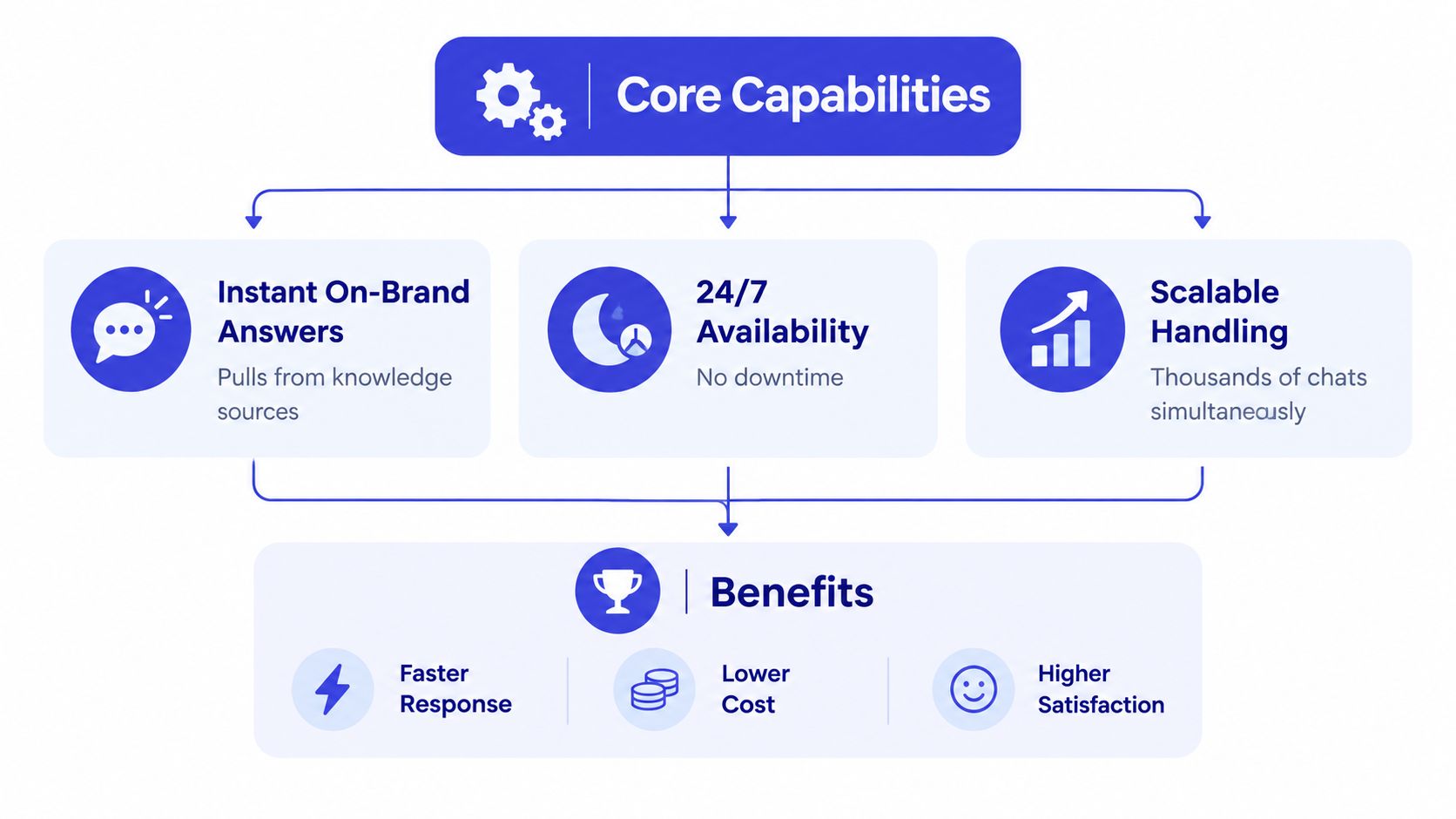
The strongest design pairs high-confidence automation with clean escalation. Benchmark reporting places AI agent chat handling at around 75.3%, chatbot satisfaction improvement at 9.1%, and chatbot-to-agent handoff CSAT at 92.6%, according to the Comm100 live chat benchmark report. A handoff is a planned control, not a failure. The failure is making customers repeat themselves or trapping them with a bot that cannot help. Governance, confidence thresholds, and handoff quality often determine ROI more than the bot's intelligence alone.
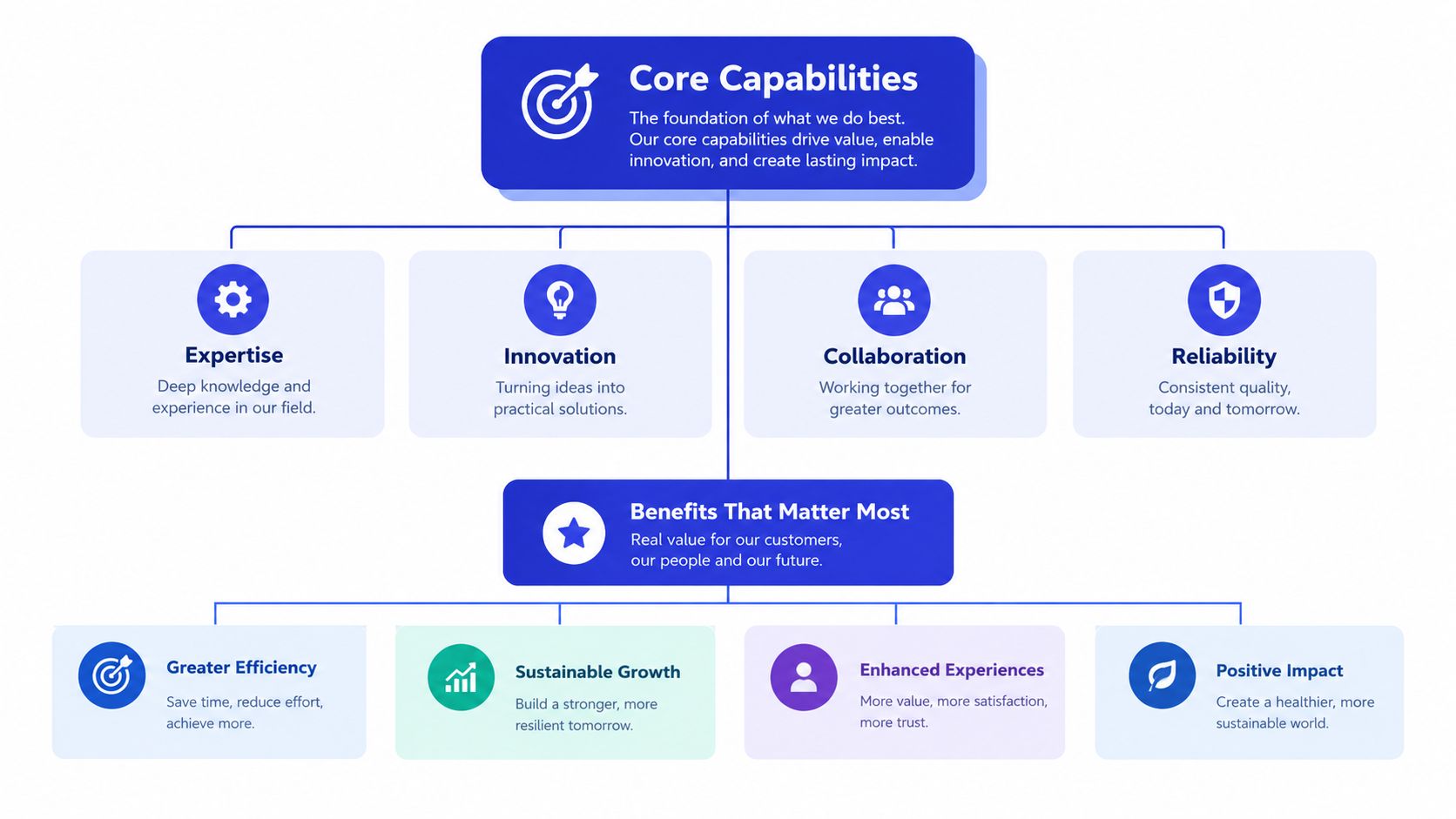
Core Capabilities and Benefits That Matter Most
A customer asks, “Where is my order?” The chatbot checks the approved shipping guidance, gives a clear answer, and recognizes when a delayed shipment needs human investigation. That small interaction shows the right role for AI support: a triage teammate that handles predictable work, gathers context, and sends exceptions to the right person.
Knowledge that stays aligned with the business
The chatbot should draw from current product pages, FAQs, pricing, shipping rules, onboarding documents, and internal support guidance. When pricing changes or a feature is retired, the source material must change too. A polished answer based on outdated information still creates a poor support experience.
Content maintenance is part of chatbot operations. Review unanswered questions and low-confidence conversations to find missing articles, unclear policies, and the terms customers use. Teams building reliable multi-turn AI apply the same principle: the assistant needs enough conversation context to interpret the latest message instead of treating every message as a new request.
Intent recognition and approved actions
A useful chatbot distinguishes “How long does shipping take?” from “My shipment is late,” even though both mention delivery. The first may need a policy answer. The second may require an order lookup, a carrier check, or human investigation.
With controlled integrations, the assistant can qualify a lead, retrieve approved information, schedule an appointment, or create a ticket. Keep permissions narrow, and require clear confirmation before actions affecting an account, payment, order, or subscription.
Escalation that saves the customer effort
A good handoff includes a short summary, the customer's goal, relevant identifiers, the chatbot's confidence, and troubleshooting already completed. The human agent should see why the conversation was escalated immediately, rather than asking the customer to repeat the entire story.
These capabilities create practical benefits:
Faster answers: Customers receive immediate guidance for routine questions.
Lower repetitive workload: Agents spend less time repeating policy answers.
Better lead response: Visitors can receive qualification questions while interest is high.
More consistent service: Approved content creates a shared baseline across shifts and channels.
Actionable reporting: Conversation logs reveal recurring problems and content gaps.
Resolution results depend on what the chatbot can safely access and do. Mature AI-native deployments typically target 55% to 70% first-contact resolution in the first year, while agentic systems with deep backend integration can reach 70% to 85%. Legacy chatbots often remain at 10% to 25%, according to AI customer support resolution benchmarks. These differences mainly reflect integration and action-taking capability, not the chat interface alone.
Common Use Cases and Real World Examples in Action
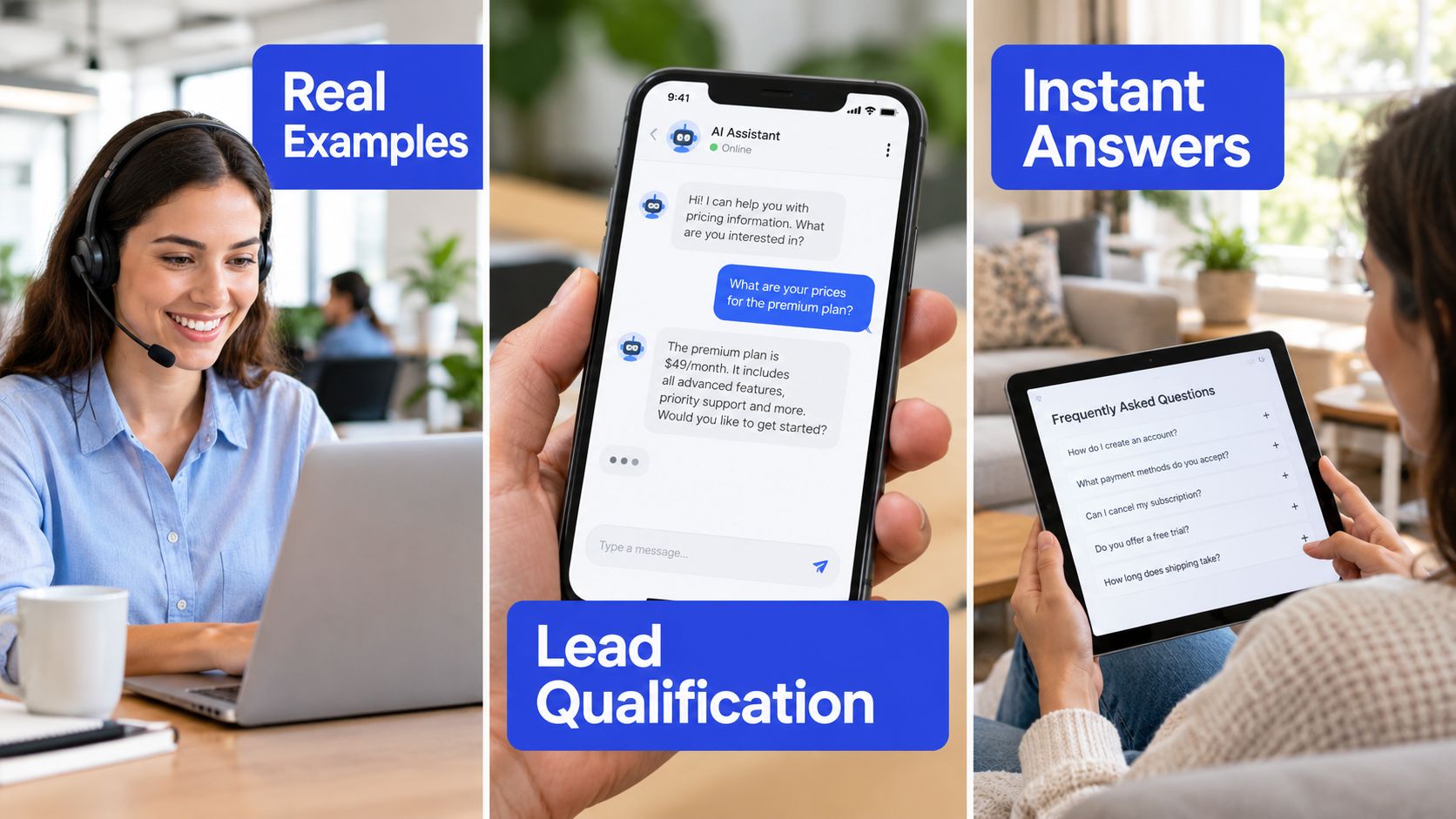
The easiest way to choose a first deployment is to follow the customer journey. Start with a question that has a clear answer, add qualification where buying intent is visible, and use escalation when the conversation needs human judgment.
Answering FAQs without making customers search
An online retailer can place the chatbot beside shipping, returns, and product pages. A customer asks, “Can I return this if I opened the package?” The chatbot retrieves the approved policy, explains the condition in plain language, and offers the next step.
A SaaS company can use the same pattern for setup questions. The assistant can point a user to the relevant documentation, explain the prerequisite, and ask whether the problem continues. If the answer depends on account configuration, it should collect the workspace details and escalate rather than invent a fix.
Qualifying high-intent visitors
On a pricing page, the chatbot can ask what the visitor needs, which team will use the product, and whether a particular integration matters. It can collect contact details only after explaining why they're needed, then route a qualified conversation to sales with a concise summary.
The experience should feel like assistance, not an interrogation. Ask only questions that change the next action. If a visitor wants documentation, provide it. If they want a buying conversation, make that route obvious.
Preparing a human handoff
A customer writes, “I tried everything and my account is still locked.” The chatbot can ask when the issue began, whether the user sees an error message, and which troubleshooting steps were attempted. It then sends the transcript and summary to an agent.
This approach prevents the most damaging handoff pattern: asking a frustrated customer to repeat information they already provided. It also gives the human a starting point, while keeping the chatbot away from decisions that require identity verification, discretion, or specialist knowledge.
A short demonstration can make these flows easier for stakeholders to evaluate:
The same design works across e-commerce, SaaS, education, travel, and agency websites. The content changes, but the pattern remains stable: answer what is clear, ask what is necessary, and escalate with context.
How to Implement and Tune Your AI Support Chatbot
A customer asks, “Where is my order?” The chatbot can answer immediately from approved shipping data. A customer reports a possible account takeover. That conversation should go to a trained agent. Implementation starts by separating these two paths, so the bot acts as a triage teammate rather than a replacement for support.
Start with content and boundaries
Begin with a narrow group of intents where the answer is documented, demand is meaningful, and an incorrect response has manageable consequences. Gather help center articles, FAQs, product pages, pricing information, policies, and support macros. Resolve contradictions before training. If two pages describe different cancellation rules, the issue is content governance, not model intelligence.
Write down what the chatbot may answer, ask, and do. Define the requests that require a person, including privacy issues, sensitive topics, unsupported actions, and cases needing identity verification. Give customers a clear “talk to a person” route, with the conversation history available to the agent.
Choose the first deployment surface
Put the chatbot where customers already show intent. An online store may start on product, shipping, and order pages. A SaaS company may begin with onboarding, documentation, or pricing. An agency can test one client workflow supported by a repeatable knowledge base.
Use this rollout sequence:
Train on trusted sources: Connect the assistant to current website and support content.
Define qualification logic: Specify which answers identify a sales-ready visitor and where those leads go.
Set escalation thresholds: Escalate when confidence is low, sentiment is strongly negative, the topic is sensitive, or the requested action exceeds permissions.
Connect operating tools: Link the chatbot to the help desk, CRM, order system, calendar, or other approved sources.
Review conversations: Inspect unanswered questions, repeated requests, incorrect responses, and abandoned chats.
Update the sources: Improve articles and rules, then test affected intents again.
For a detailed workflow, follow this guide to train a chatbot. Test with real conversations, including unclear wording and edge cases, rather than relying only on ideal prompts.
Keep humans in the loop
Assign owners for knowledge updates, escalation review, and data handling. A product manager may maintain feature information, a support lead may own policies, and a privacy or security owner may review sensitive workflows. Teams can also examine boost CSAT with SelfServe's approach, then adapt the process to their customers and risk profile.
A fast launch still needs testing, monitoring, and a visible human route. Use early deployment to learn which questions the bot handles well, where customers abandon conversations, and which cases need escalation. Governance and handoff design determine whether automation reduces support effort or moves unresolved work to agents.
Measuring Success and Proving ROI Over Time
A chatbot earns its place when a customer gets the right outcome with less avoidable effort. A busy chat queue alone proves little. Follow each interaction from the first message through resolution, escalation, repeat contact, and customer sentiment.
Use outcome metrics
Containment rate records conversations that end without a human, but a customer may leave frustrated or return through another channel. First-contact resolution gives a clearer view: did the customer receive the needed answer or action during the initial interaction?
Handling rate shows how much incoming volume the system can process. Earlier benchmark reporting placed AI agent chat handling around 75.3%, while mature deployments often aimed for 55% to 70% first-contact resolution in year one. Use these figures as reference points, not promises.
Track handoff CSAT, escalation reasons, repeat questions, abandoned conversations, answer accuracy, and cost per resolved ticket. Earlier benchmark reporting also recorded chatbot-to-agent handoff CSAT at 92.6%. A carefully designed handoff can protect satisfaction because the agent receives the conversation context instead of asking the customer to start again.
Calculate the real return
Compare chatbot costs with the value of resolved work and recovered sales opportunities. Include maintenance, integrations, quality review, and human escalations. Also count failure costs. If customers repeat information, abandon failed attempts, or reach an agent without context, the bot may shift work rather than remove it. Reporting on customer-support chatbot economics examines these risks.
Review results by intent rather than relying on one blended score. Keep automating requests with accurate answers and clean outcomes. Rewrite weak content, restrict permissions, or send sensitive topics to people. Expand gradually from one workflow to related support tasks only after the handoff works reliably.
A practical checklist is short: choose a narrow use case, prepare authoritative content, define escalation rules, connect only necessary systems, launch where intent is clear, and review conversations weekly. ROI comes from the whole triage process, not intelligence alone.
Chatgrow lets businesses create support agents trained on their websites, FAQs, pricing, and product pages, then deploy them to answer common questions, qualify leads, and escalate with conversation context. Visit Chatgrow to explore a focused triage workflow for your customer support team.
More articles from the chatgrow Team