Blog
By
Nelson Uzenabor

AI support agents have reached a point where adoption is no longer the main question. 32% of customer service practitioners already use AI for support, and 47% of companies that aren't using it planned implementation in 2025, according to Freshworks' customer service AI analysis. The harder question is whether a business can deploy AI for customer support agents without sacrificing accuracy, trust, or the judgment customers need when a routine request becomes complicated.
The answer isn't a larger language model on its own. Reliable support comes from explicit workflows, governed knowledge, useful integrations, and fast human escalation. The companies getting value from AI aren't asking it to improvise across every customer interaction. They're giving it a defined operating area, clear boundaries, and a well-designed route to a person.
Table of Contents
The New Reality of AI for Customer Support Agents
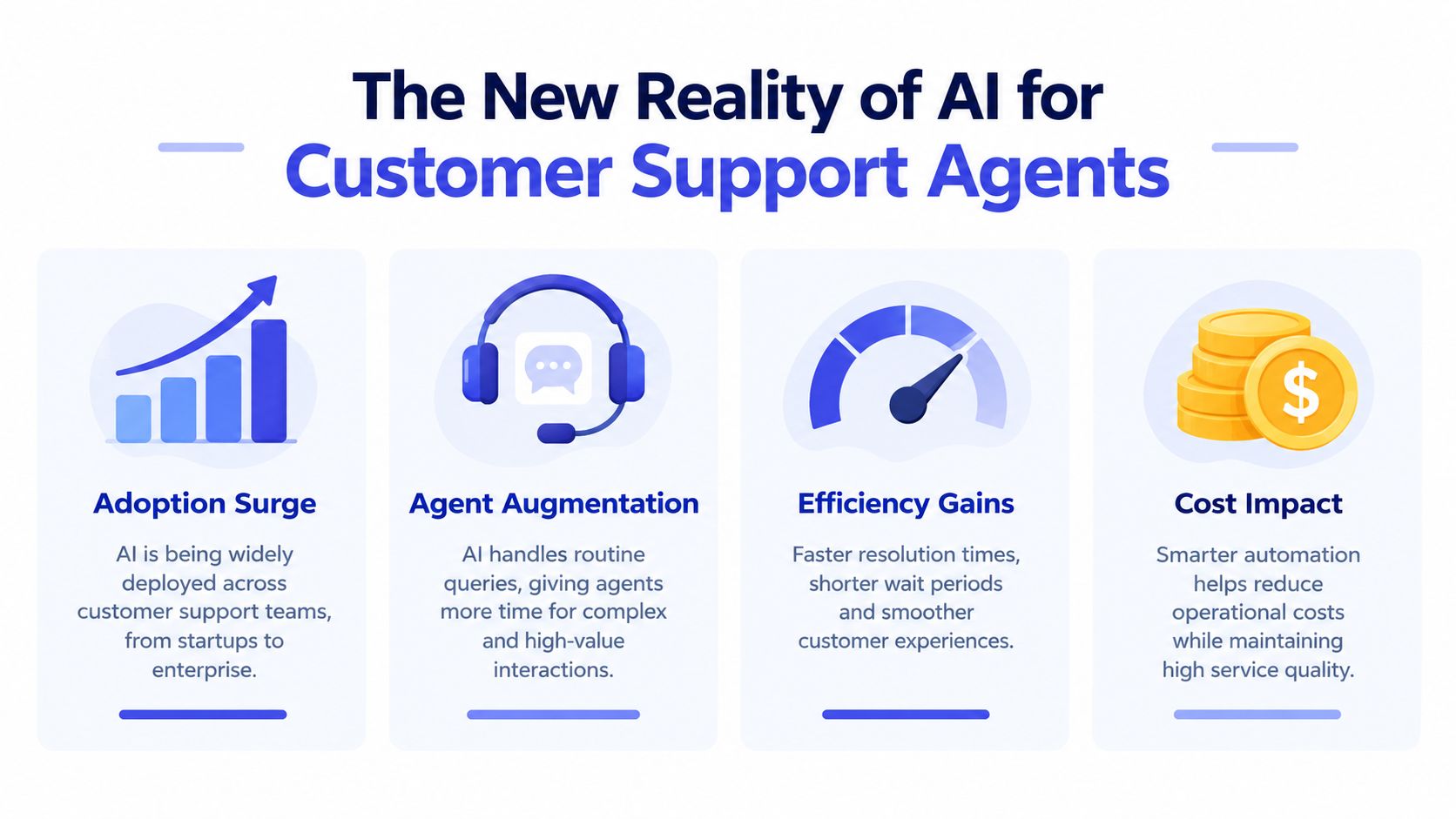
The AI for customer service market was valued at USD 12.06 billion in 2024, reached USD 15.12 billion in 2026, and is forecast to reach USD 47.82 billion by 2030, at a 25.8% CAGR, according to the Freshworks market overview. The figures point to a change in service operations. AI support is becoming part of how teams handle demand, coverage, and customer expectations.
Response speed is a major driver. The same source reports that top companies using AI in conversational support respond in about 10 seconds, while lower-performing organizations may take up to 36 hours to resolve tickets. That difference is especially visible when customers need help with a purchase, account access, delivery, or a product decision outside normal office hours.
What a modern support agent does
A modern AI support agent is more than a decision-tree chatbot. It interprets intent, gathers context, retrieves approved information, follows a defined process, and can trigger permitted actions in connected systems. Depending on its configuration, it may answer a product question, check an order status, collect return details, summarize a conversation, or route a high-risk case to a human.
The operating boundary matters as much as the model. A practical division of labor is straightforward:
Routine questions: The AI answers repetitive, well-documented requests.
Structured workflows: The AI gathers details and follows policy-specific steps.
Sensitive or ambiguous cases: The AI explains what it can do, captures context, and escalates.
High-value conversations: A human takes over with the transcript and relevant facts already organized.
Customer behavior supports this hybrid model. In 2026, 81% of consumers had used a customer support chatbot in the previous 30 days, and 65% engaged with support chatbots at least monthly, according to Botpress' chatbot statistics summary. Customers will use AI when it removes waiting and repetitive effort. They resist it when it becomes a barrier to human help.
Operating principle: Use AI to remove waiting and repetition, not to remove human judgment from situations that require it.
For small and midsized businesses, this distinction affects the business case. AI for customer support agents can extend coverage that a small team could not maintain alone. The system still needs explicit handoff rules, usable context, and a person with authority to resolve exceptions.
Speed creates value only when the answer is trustworthy. A larger language model cannot decide every escalation safely without workflow controls, approved knowledge, and a clear hybrid route to human judgment.
Core Technologies Behind Intelligent Support Systems
The technology stack is easier to evaluate when each component has a clear operational job. Natural language processing handles the conversation layer. Intent recognition determines what the customer is trying to accomplish. Retrieval supplies approved business knowledge. Workflow logic controls what the agent may do next.
From language to intent
Natural language processing allows an agent to work with the way customers write and speak, including incomplete sentences, informal wording, and multiple issues in one message. Intent recognition then separates the request into an operational category, such as billing, delivery, cancellation, troubleshooting, or product information.
That categorization shouldn't be treated as a final answer. It should select the correct path. A customer saying that a product is broken may need a troubleshooting sequence, a warranty check, or immediate escalation depending on product type, account status, and previous actions.
Retrieval gives the model a source of truth
Retrieval-augmented generation, usually called RAG, connects the language model to a controlled knowledge source at response time. Instead of relying only on patterns learned during training, the agent retrieves relevant material from approved FAQs, policy pages, product documentation, ticket history, or structured records.
This is why a smaller model with better retrieval and workflow control can outperform a larger model used without operational constraints. In JourneyBench testing, a Dynamic-Prompt Agent achieved a User Journey Coverage Score of 0.717, compared with 0.564 for a Static-Prompt Agent, according to the JourneyBench research paper. The paper also reports that tighter control allowed GPT-4o-mini to outperform GPT-4o in some settings.
The practical lesson is simple. Don't evaluate a vendor by model size alone. Ask how it handles:
State tracking: Can it remember where the customer is in a workflow?
Policy enforcement: Can it block actions outside approved rules?
Source grounding: Can it show which knowledge informed an answer?
Tool permissions: Can it restrict access to CRM, billing, or order systems?
Uncertainty: Does it escalate when the available information isn't sufficient?
For multilingual operations, translation can sit inside the same support architecture. Teams evaluating voice workflows may find this guide to how AI translates calls useful when deciding where live translation, transcription, and agent assistance belong.
A language model generates language. The surrounding system determines whether that language is safe, relevant, and actionable. Architecture beats raw model size when the work involves policy, multiple turns, and real customer consequences.
Practical Benefits and Real-World Applications
The fastest returns usually come from work that is frequent, predictable, and easy to verify. That makes AI for customer support agents a practical fit for e-commerce order questions, SaaS product guidance, appointment requests, and first-stage lead qualification.
Consider an online retailer. A customer asks where an order is, whether a product is available, or how to start a return. The agent can answer from the product and policy knowledge base, retrieve order information when connected to the relevant system, and collect the details a human needs if the request falls outside standard rules. The customer gets an immediate response, while the support team avoids spending its day repeating the same instructions.
Where the workflow is deterministic
E-commerce is a natural starting point because many customer questions follow recognizable paths. The agent can handle product information and order-related FAQs, then stop when the case requires judgment, such as a disputed delivery, an unusual refund request, or a damaged item with incomplete evidence.
SaaS businesses can use a similar pattern for onboarding and qualification. An agent can explain plan differences, identify a visitor's use case, answer questions about integrations, and pass a qualified conversation to sales. It can also guide existing users through documented product steps before routing a technical issue that needs deeper investigation.
Service businesses benefit from coverage outside the hours when staff are available. A hotel, travel agency, or education provider can use an agent to answer recurring questions, collect booking or enrollment details, and direct urgent matters to the right team. Businesses that operate in hospitality can also review hotelier stories for examples of how customer-facing operations organize service around real guest needs.
What humans do better after automation
The point isn't to make every interaction autonomous. The point is to reserve human capacity for work that benefits from empathy, negotiation, judgment, and relationship knowledge.
AI handles repetition: It answers documented questions and gathers standard information.
Human agents handle ambiguity: They investigate exceptions and interpret incomplete context.
AI prepares the handoff: It summarizes the conversation and records the facts already supplied.
The support team improves the system: Repeated escalation patterns reveal missing documentation or weak policies.
Consumer usage makes this channel practical. Chatbot interactions have become routine for many users, but routine use doesn't remove the need for choice. The best deployment treats automation as an available service path, not a forced one. That approach can improve coverage without turning support into a maze customers must work through before reaching a person.
Navigating the Trust Gap and Accuracy Challenges
Adoption doesn't equal trust. A 2025 SurveyMonkey study found that 79% of Americans strongly prefer a human over an AI agent for customer service, 89% want a human option, and 81% believe companies mainly use AI to save money rather than improve service, according to SurveyMonkey's customer service statistics.

That finding changes the deployment brief. A company can't present AI as a cost-cutting wall between customers and support staff, then expect a warm customer experience. Customers need to know when they're interacting with an automated system, what it can do, and how to reach a person without repeating the entire story.
Design trust into the handoff
A useful escalation path has three characteristics:
Visible: The customer can request a human without fighting the interface.
Contextual: The human receives the transcript, intent, account details, and actions already attempted.
Purposeful: The AI explains why the case is being escalated rather than producing a generic failure message.
Disclosure also matters. A short, clear introduction is better than pretending the customer is speaking to a person. The agent should use a consistent brand voice, but it shouldn't imitate human identity in a way that creates confusion.
Accuracy depends on more than prompt wording. A real-world technical customer service study using incident data from a Swiss telecommunications operator found that LLMs performed well on lower-level cognitive work such as translation, summarization, and content generation, while higher-level reasoning required RAG or fine-tuning, according to the technical customer service study. The study also emphasizes that shared structured knowledge and a connected data ecosystem support more advanced automation.
Teams building controls for keeping AI accurate in production should treat knowledge maintenance as an operating process, not a one-time upload. Product changes, pricing updates, eligibility rules, and known incidents need owners, review dates, and a clear path into the agent's retrieval layer.
The human team also needs a role in quality control. Review escalations for unsupported claims, missing context, incorrect routing, and unnecessary refusals. A support operation that measures only containment can accidentally reward the AI for keeping customers away from people, even when escalation was the correct result. Businesses that put customers first can explain that philosophy through their company information, but the workflow must prove it in practice.
The following video offers additional context for teams considering how AI systems should support, rather than obscure, human service:
Implementation Steps for Seamless Integration
Implementation fails when teams start with a vendor demo instead of an operational problem. Start with the conversations your team already handles, identify where the answer is documented, and define the point at which automation must stop.
1. Assess the current support operation
Review tickets, chats, emails, and call summaries. Group them by customer intent, not only by department or channel. Look for requests that have a repeatable resolution path, clear policy boundaries, and a reliable source of information.
Choose one use case for the pilot. Order questions, basic product guidance, and documented account instructions are usually easier to validate than disputes, refunds with exceptions, or technical problems that require diagnosis.
2. Prepare the knowledge and permissions
Clean the source material before connecting it to an AI agent. Remove duplicate policies, resolve contradictions, label outdated pages, and separate customer-facing guidance from internal notes. The agent should know which source takes priority when two documents conflict.
Then define permissions. Reading a product FAQ is different from changing an account or issuing a refund. Every tool connection should have an approved purpose, and every sensitive action should have a human approval path.
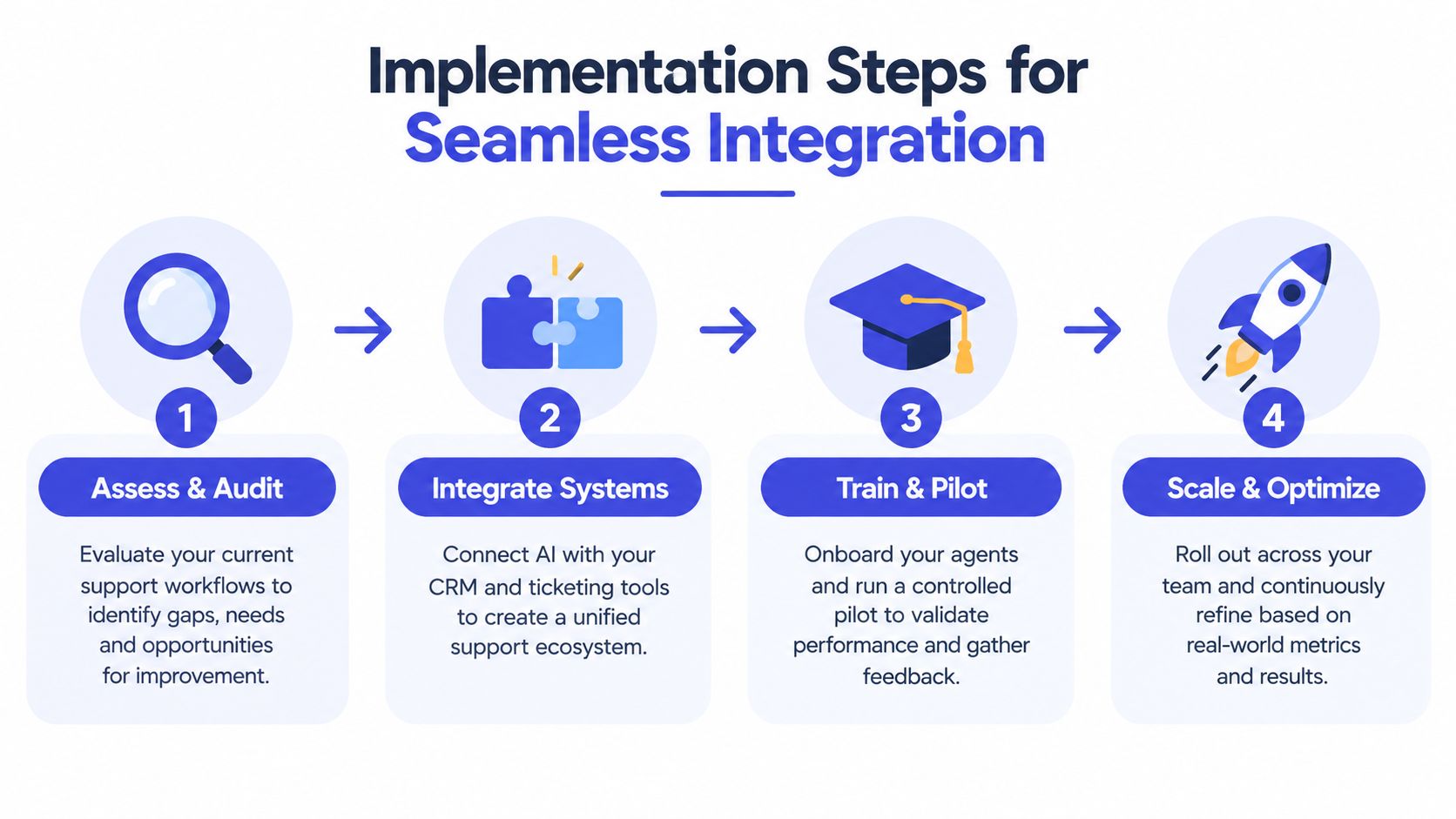
3. Integrate the support stack
Connect the agent to the systems that provide necessary context, such as the helpdesk, CRM, order platform, and approved knowledge sources. Integration should reduce duplication, not create another isolated inbox.
Many deployments become difficult. BCG reports that 98% of executives see change management as essential, 50% call it the primary barrier to realizing value, and roughly nine in ten customer service leaders struggle with vendor or system-integrator fragmentation, according to BCG's customer service transformation research. Use a documented ownership model so teams know who controls prompts, policies, integrations, security, and escalation rules. A MakeAutomation implementation roadmap can help teams map the technical and operational sequence before launch.
4. Pilot, train, and expand carefully
Run the agent in a controlled environment first. Let support staff review proposed responses, test edge cases, and mark answers that are unsupported or poorly phrased. Train human agents on the handoff process, including how to correct the AI and return useful feedback to the knowledge team.
Scale only after the workflow behaves consistently. Salesforce data cited by BCG shows AI-agent adoption in service organizations rose from 39% in 2025 to 66% in 2026, but adoption speed doesn't remove the need for operational discipline. A smaller, reliable scope is more valuable than a broad launch that damages customer confidence.
Measuring Performance and Scaling Your AI Workforce
A support agent can appear productive while creating hidden work. High conversation volume means little if customers reopen tickets, correct inaccurate answers, or abandon the interaction in frustration. Measurement must connect the AI's activity to resolution quality and the workload it creates for people.
Track a balanced set of indicators:
Metric | What it reveals | Warning signal |
|---|---|---|
Resolution rate | Whether the customer's issue was actually solved | Many conversations end without a clear outcome |
Escalation quality | Whether the right cases reach humans with useful context | Agents ask customers to repeat basic information |
Reopen or repeat contact patterns | Whether an answer solved the underlying issue | The same customer returns with the same problem |
Policy adherence | Whether the agent stays within approved rules | Responses sound plausible but exceed authorization |
Customer feedback | Whether the experience feels clear and respectful | Customers object to the bot, tone, or lack of choice |
Read the conversations, not only the dashboard
Conversation review reveals why a metric moved. A low escalation rate may indicate successful automation, or it may mean customers can't find the human option. A strong apparent containment rate may hide answers that are technically fluent but operationally wrong.
The Swiss telecommunications study provides a useful boundary. LLMs can automate translation, summaries, and content generation effectively, but advanced reasoning needs retrieval, fine-tuning, and structured data. Use that distinction when assigning work. Let the agent draft a summary automatically, then require grounded retrieval and stronger controls before it diagnoses a complex incident or recommends an exception.
Measurement rule: Count a conversation as successful only when the customer reaches a valid outcome, not when the AI stops responding.
Scaling also requires specialization. One broad agent may work for a small knowledge base, but separate agents can make governance clearer as the business grows. A billing agent can follow financial policies, a product agent can answer documented usage questions, and a sales agent can qualify inquiries without receiving unnecessary access to service records.
Review the economics alongside quality. Include platform costs, integration work, knowledge maintenance, human review, escalation handling, and the opportunity cost of poor answers. Teams assessing commercial options can also examine pricing information, but the right choice depends on whether the system produces reliable resolutions within the workflows your staff can support.
Transforming Customer Experience with Chatgrow
Small businesses and agencies don't need to build a full AI support stack from scratch to apply these principles. They need a controlled way to train an agent on the information customers already use, place it where buying or support questions arise, and provide a clean human handoff when the conversation exceeds the agent's scope.
Chatgrow is one option for that operating model. It lets businesses create and deploy custom support agents trained on websites, pricing pages, FAQs, and product pages. The agent can answer common questions, support lead qualification, and provide coverage across customer-facing conversations without requiring a separate knowledge authoring project for every channel.
Keep the agent close to customer intent
The practical value comes from connecting the response to the customer's goal. Smart Intent is designed to identify what the visitor is trying to accomplish and produce a response in the business's voice. That makes the system more useful than a widget that just searches for matching words.
For a SaaS company, the agent might explain a plan and identify whether the visitor needs an integration. For an e-commerce brand, it might answer a product question and direct the shopper to relevant information. For an agency, the same approach can be configured around each client's content and escalation rules.
Make escalation part of the product experience
Chatgrow's smart escalation gathers relevant details and passes a concise summary to the team when a human needs to follow up. That design addresses the central trust problem. The customer doesn't have to choose between an unhelpful automated answer and starting from the beginning with a person.
The setup follows a manageable sequence:
Train the agent on approved website and product content.
Define qualification rules for leads and support requests.
Deploy it on high-intent pages where immediate answers matter.
Review conversations and update the source material or workflow.
Expand to additional agents as different use cases become clear.
Chatgrow's plans start at $39 per month, with message credits, storage, and team access, and the platform offers a 7-day free trial with personalized onboarding. Those details make it possible to test a focused workflow before committing to a larger support transformation. The important evaluation remains the same as with any platform: verify the answers, test escalation, and measure resolved outcomes rather than automated volume.
For SMBs, the sensible target isn't an AI agent that handles everything. It's a support system that answers routine questions quickly, respects its limits, and gives human staff better context when their judgment is needed.
Chatgrow provides custom AI support agents trained on your website, pricing, FAQs, and product pages, with intent recognition, lead qualification, and human escalation built into the workflow. Visit Chatgrow to start a focused trial, test your highest-volume support use case, and see whether the system improves response quality without weakening customer trust.
More articles from the chatgrow Team