Blog
By
Nelson Uzenabor
At 9:47 PM, a high-intent B2B visitor lands on your pricing page. They click the demo form, see an empty inbox icon, wait six seconds, and leave. The form technically captured demand, but the buying moment disappeared before a salesperson could respond.
That gap is where a well-designed chat with sales AI agent earns its place. It doesn't just answer questions beside a checkout button. It recognizes intent, asks useful questions, recommends the next step, books a meeting, and hands a qualified conversation to a rep with enough context to act.
The opportunity is no longer theoretical. One 2026 industry report estimates conversational commerce at USD 12.64 billion in 2026, up from USD 11.26 billion in 2025, with a projection of USD 22.56 billion by 2031 at a 12.28% CAGR. Another 2026 market summary places the sector in the USD 30 billion range for 2026 and describes messaging commerce across WhatsApp, web chat, Instagram, Messenger, and SMS/RCS, with WhatsApp processing more than 1 billion transactions per week worldwide. These estimates vary by methodology, but they point in the same direction: chat-based selling is becoming part of mainstream commerce infrastructure. (Conversational commerce trends for 2026)
Table of Contents
Defining Goals, Audience, and Success Metrics Before You Build
Writing Lead Qualification Rules That Filter for Real Buyers
Why a Chat with Sales Agent Changes the Buying Journey
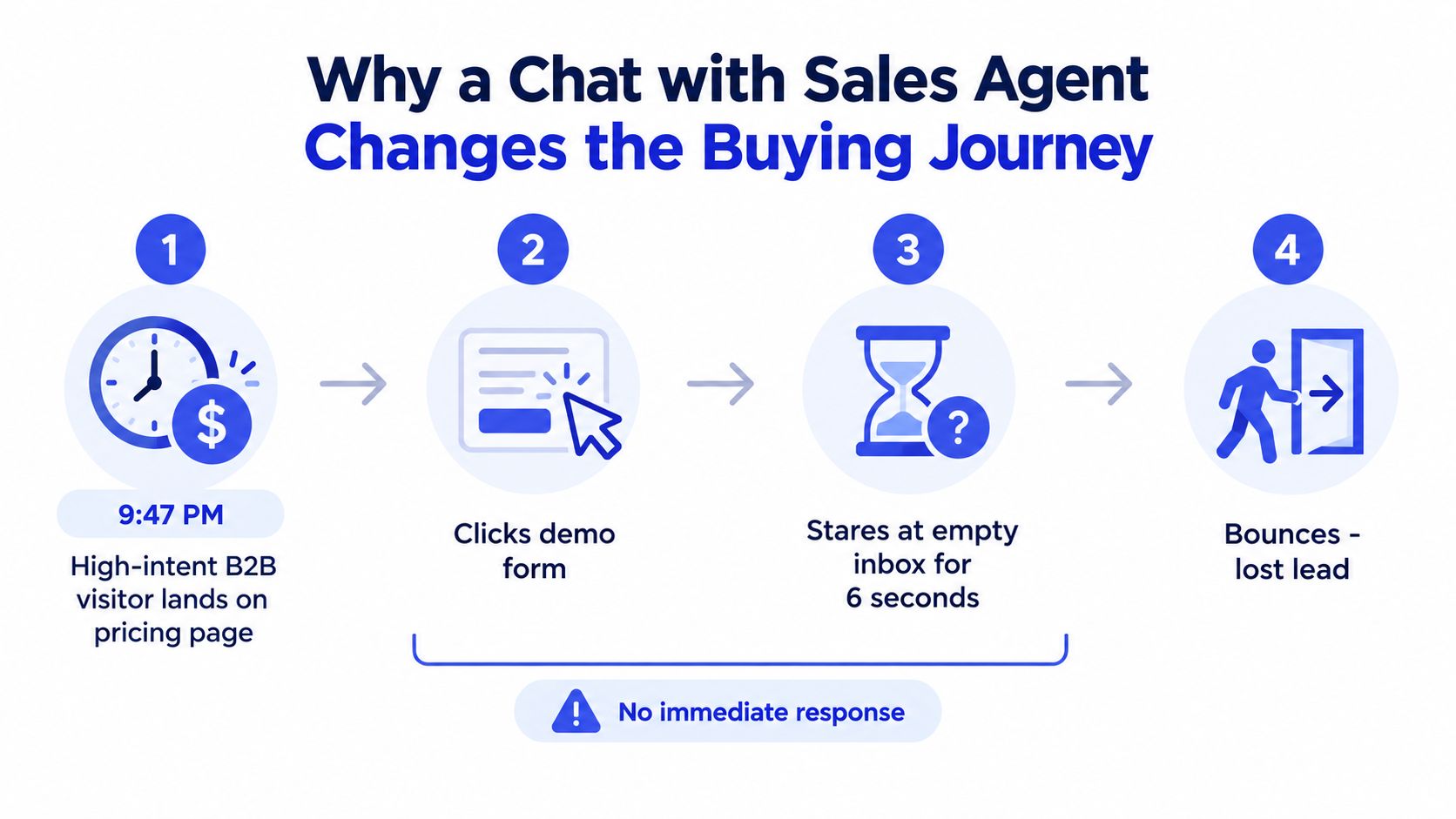
A buyer visits pricing, checks a comparison page, and opens a product configuration screen. A static form records the session only if the visitor decides to submit it. A chat with sales AI agent can respond while the buying signal is still visible, clarify the next decision, and pass useful context to a representative.
That changes the buying journey in three practical ways.
From reactive capture to proactive engagement
A form asks, “Who are you?” and leaves the buyer to wait. A sales agent can offer help choosing a plan, comparing products, or deciding whether a conversation with sales makes sense. The improvement comes from reducing effort at the point where intent has already appeared.
Page context should shape the opening prompt. On pricing, the agent can ask what the visitor is trying to evaluate. On a comparison page, it can ask which product the visitor is replacing. On an integration page, it can address implementation questions before requesting contact details or routing the conversation to sales.
The agent is therefore more than a checkout widget. It operates as an intent-capture layer across the journey, from the first useful question through qualification and human handoff.
From one-shot submission to conversational discovery
Forms collect fields. Conversations reveal why those fields matter.
A SaaS buyer may select a company-size range while the obstacle is a security review. An ecommerce shopper may request a recommendation without knowing which specification affects the choice. The agent should identify that uncertainty, answer only from approved information, and collect the details required for the next action.
Conversation also gives qualification logic more context. Instead of treating every form completion as equal, the agent can distinguish product education from active evaluation, then recommend documentation, a purchase path, or a sales conversation. Teams building this layer can consult Stimulead's practical AI guide for practical context on agent architecture, prompts, knowledge, and handoff.
Research cited in a conversational-commerce report found that 72% of consumers would consider completing an entire purchase inside an AI chat app, including payment. Another source reports that 79% of brands saw increased sales and conversions after adopting conversational commerce, while 87% planned to keep investing over the following 12 months. (The new D2C growth channel)
From a disconnected visit to a persistent thread
A buyer often returns after reviewing more information. The agent should preserve consented context, earlier questions, product interest, and qualification status, then adjust the next prompt instead of restarting the conversation.
A visitor might ask about integrations today, review pricing later, and request a meeting after comparing options. Persistent context lets the agent continue from that history and gives the representative a clearer starting point.
Poorly grounded responses create more work for sales than a form. A focused agent can keep intent visible from first touch to qualified handoff.
Defining Goals, Audience, and Success Metrics Before You Build
The fastest way to waste time on a sales agent is to open a chatbot builder before deciding what the agent is allowed to accomplish. Start with four decisions: who it qualifies, what it asks, where it appears, and how you'll judge it.
Narrow the ideal customer profile
Write the ICP as a filter, not a slogan. “Growing businesses” gives the model almost no operational direction. “US-based Series A SaaS companies with 50 to 500 employees” gives it a usable boundary and prevents irrelevant conversations from shaping the qualification experience.
Add exclusions. Decide whether agencies, students, competitors, existing customers, or implementation partners belong in the sales flow. If they don't, route them elsewhere instead of forwarding them to a rep.
Choose questions that change an action
Use three to five qualifying questions as a planning ceiling, then deploy fewer when the signal is clear. Each question should affect routing, score, personalization, or escalation.
A useful sequence is:
What are you trying to accomplish?
What are you using today?
How large is the team or operation involved?
What's your expected timeline?
Do you need help evaluating plans, implementation, or pricing?
Don't ask for a phone number before the visitor understands why sharing it helps. Conversation should earn the data request.
Restrict deployment to intent-rich pages
Start with pricing, demo, comparison, and high-intent product pages. A chat prompt on every blog post creates noise, teaches the agent to treat curiosity as purchase intent, and burdens the team with low-value conversations.
Use page-specific openings and suppress the agent when the visitor is clearly in a support or research path. The right deployment map often matters more than the widget's visual design.
Tie every goal to one KPI
A dashboard should answer why the agent exists. Use a simple mapping rather than a collection of vanity metrics.
Business Goal | KPI | Target Benchmark | Dashboard View |
|---|---|---|---|
Increase sales conversations | Meeting-set rate | Set a baseline before launch | Meetings booked by page and channel |
Improve lead quality | Qualified-lead-to-meeting ratio | Compare with form-sourced leads | Funnel by qualification tier |
Reduce response friction | Average response time | Track during staffed and unstaffed hours | Median and peak response time |
Capture after-hours demand | After-hours capture volume | Compare with prior form volume | Conversations, emails, and bookings by hour |
Industry benchmarks report that visitors who chat can be 2.8 times more likely to convert than visitors who don't, while chatters who convert spend about 60% more than non-chatters. Mobile chatters reportedly spend about 68% more than mobile non-chatters. Those figures are useful as directional context, not as a promise for your site. (Conversational marketing statistics)
Training the Agent on Your Site, Pricing, and Product Pages
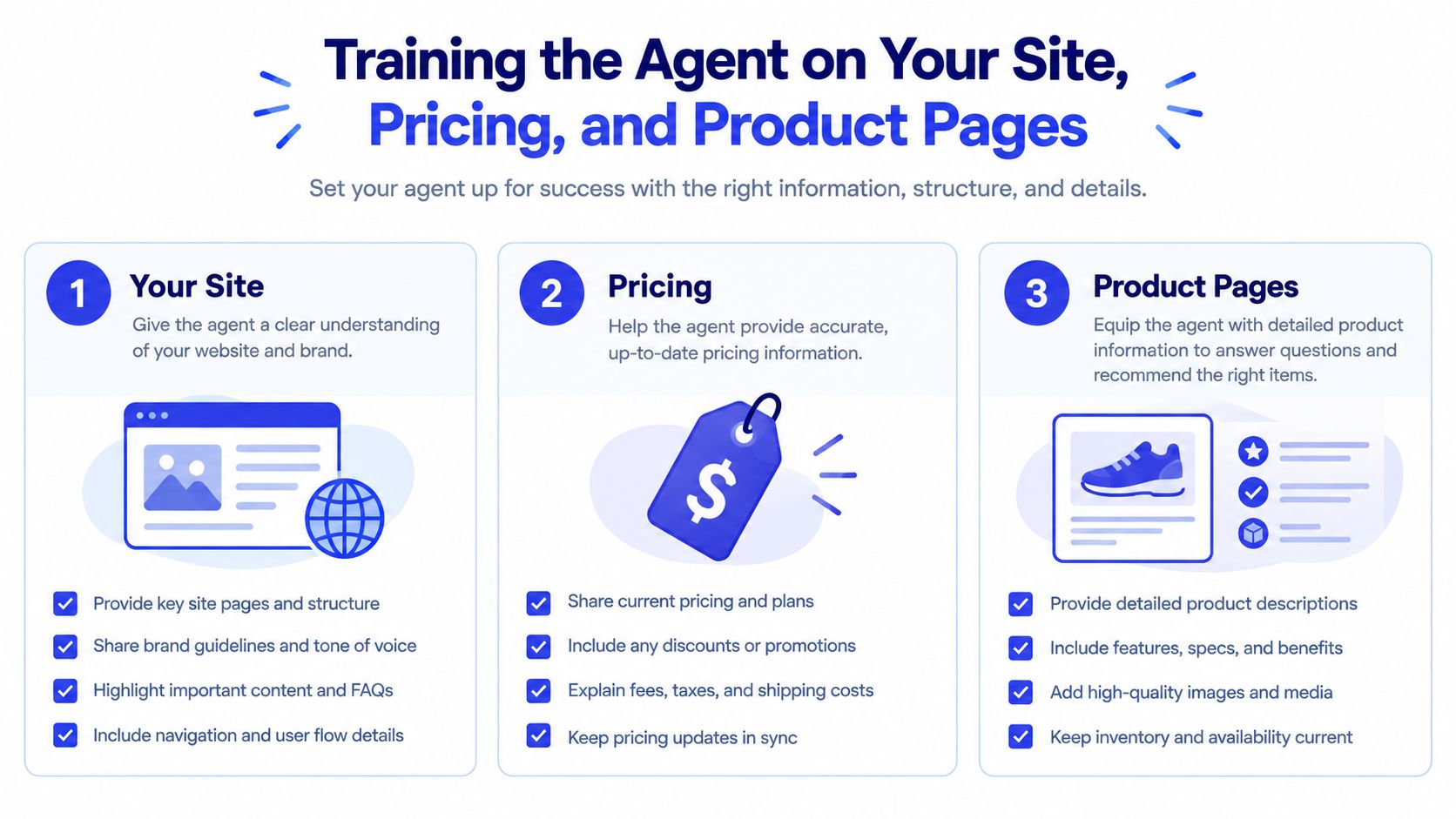
Training should follow the order a buyer asks questions, not the order your CMS stores content. Begin with the sources that determine whether a rep can safely continue the conversation.
Build the knowledge set in layers
Start by ingesting the pricing page, product feature pages, comparison pages, the top FAQs, and recent sales-call transcripts. Transcripts are valuable for objection language, but they shouldn't become an unfiltered source of truth. Extract recurring objections, approved answers, and escalation conditions.
Feed these materials first:
Pricing tiers: Include what each plan includes, who it's designed for, and which details require a rep.
Contract terms: State billing rules, implementation expectations, cancellation language, and approval boundaries.
Integration list: Separate supported, planned, partner-supported, and unavailable integrations.
Security and compliance claims: Include only claims your company has approved for public use.
Real customer use cases: Provide three documented examples with the problem, workflow, and outcome, without inventing extra results.
Raw blog content often dilutes the model. Blog posts may describe older positioning, use broad language, or discuss possibilities that aren't part of the current product. Curated knowledge-base entries give the agent a smaller, more reliable answer surface. The practical workflow is covered in this guide to training a chatbot.
Put hard limits in the prompt
Your system instructions should be explicit:
Answer in plain language and match the brand's approved voice.
Use only information in the supplied knowledge base and current product data.
Say when the answer isn't available.
Never invent a feature, discount, integration, contract term, or customer result.
Ask one clarifying question when the request is ambiguous.
Escalate when the buyer needs an exception, legal interpretation, security commitment, or unsupported product claim.
The agent should also distinguish between a known answer and a recommendation. “This plan includes the integration” is a factual claim. “This plan may fit your team because…” is an interpretation that needs to stay grounded in the stated requirements.
Review low-confidence answers as a training queue. Assign one owner to re-ingest content after pricing, positioning, or feature changes, and log every answer that triggered uncertainty. The content owner, sales lead, and product marketer should resolve those gaps together.
The following short video can help teams visualize the training workflow:
Writing Lead Qualification Rules That Filter for Real Buyers
Most sales agents fail at qualification. They ask a polite sequence of questions, assign no meaningful score, and send every conversation to a rep. The result looks busy in the dashboard but produces an overloaded pipeline.
Treat qualification as a decision funnel, not a script.
Resolve disqualifiers before intent depth
Start with the facts that determine whether a sales conversation makes sense:
Company or customer fit: Is the organization within the ICP, or is the visitor a student, competitor, agency, or unsupported segment?
Use-case fit: Can the product solve the stated problem with its current capabilities?
Budget signal: Is there a credible willingness or ability to evaluate the relevant commercial option?
Only after those checks should the agent ask about timeline, current stack, urgency, or desired outcome. A visitor shouldn't answer a long sequence about implementation if the use case is unsupported.
Each answer should map to a score or action. The model can be BANT, MEDDIC, or a custom weighted framework, but the thresholds must be operational. For example, a team might define below 40 as nurture, 40 to 70 as self-serve demo, and above 70 as live handoff. Those values are an implementation example, not a universal benchmark. They need calibration against accepted meetings and eventual revenue.
Keep the interaction short and branchable
Ask one high-signal question at a time. Long multi-question messages feel like forms disguised as chat and often suppress completion. A qualification path should cap the initial flow at four questions before booking, escalating, or offering a lower-friction resource.
Use off-ramps deliberately:
Not ready to buy: Offer a useful resource, ask for an email with a clear reason, and place the contact into an appropriate nurture path.
Wrong product: Explain the mismatch plainly and route the visitor to support, documentation, or another product.
Missing information: Ask the smallest question that resolves the uncertainty.
Strong fit: Summarize the need and offer a meeting or live handoff.
Disqualification patterns belong in the rules, not in a rep's memory. Include competitors, students, agencies, job seekers, and requests for unsupported services where those categories routinely appear.
For a more formal framework, use lead qualification criteria for sales conversations as a starting point, then adapt the fields to your CRM and sales process. The agent should never claim that a lead is “qualified” because the visitor provided an email. Qualification means the conversation produced enough evidence for a specific next action.
Smart Escalation from Agent to Human Rep
Escalation is where the visitor decides whether the agent is useful or merely in the way. Don't leave it to a vague instruction such as “connect with sales when appropriate.” Define the events that trigger a handoff and the information the rep receives.
Set explicit escalation triggers
A handoff should occur when:
The visitor reaches the agreed qualification threshold.
Pricing objections loop without resolution.
Sentiment drops or the visitor expresses frustration.
The visitor asks to speak with a human.
The question requires an exception, legal review, security commitment, or product promise outside the knowledge base.
Everything else can remain with the agent, provided it has a grounded answer and a clear next step. Escalating every question teaches buyers that the bot is only a pre-form, while refusing to escalate makes the experience feel evasive.
Send a structured payload, not a cold ping
The rep needs context before typing the first reply. Pass a structured handoff containing:
Name, company, role, and consented contact details.
Qualification score and score breakdown.
The exact questions asked and answers given.
Relevant pages visited and products discussed.
The visitor's preferred next step.
A concise two-line summary of the problem and buying intent.
Send that payload to Slack, Microsoft Teams, HubSpot, Salesforce, Pipedrive, Attio, Intercom, or Zendesk. Create or update the contact record rather than generating duplicates. If your CRM uses permissions, keep access aligned with ownership and team responsibilities. For example, HubSpot supports permissions for viewing, creating, editing, and communicating with CRM records, so the integration should respect those controls. (HubSpot user permissions guide)
Operational rule: A handoff is complete only when a human can continue the conversation without asking the buyer to repeat what the agent already learned.
Set service expectations by lead tier. Hot leads can receive a 60-second response target, warm leads five minutes, and cool leads the next business day. These are internal operating targets, not industry benchmarks. During off-hours, let qualified visitors book directly instead of notifying a sleeping rep.
Log accepted handoffs, declined handoffs, and dropped conversations. Review transcripts weekly. Look for leads the agent escalated too early, leads it retained too long, and answers that caused the visitor to abandon the thread.
Deploying Across Channels and Connecting Your Stack
A buyer can reveal intent long before reaching the pricing page. A question on the homepage, a comparison-page visit, a reply to an Instagram story, or a product query in WhatsApp may all belong to the same buying journey. Deploy the sales agent as an intent-capture layer across those touchpoints, then pass the right context into the systems your sales, marketing, and customer-success teams already use.
Assign each location a specific job. The homepage should identify the visitor's goal and route them toward relevant products. Product and pricing pages should answer evaluation questions, clarify plan fit, and offer a meeting when uncertainty blocks purchase. High-intent articles can turn research into a qualified conversation. A help center may surface upgrade interest, while a post-purchase portal can identify expansion or renewal opportunities.
Channel behavior changes the operating rules. WhatsApp, web chat, Instagram, Messenger, SMS, and RCS each have different expectations for message length, consent, response times, and identity matching. Keep the agent's qualification logic consistent, but adapt the interaction to the channel. A long product explanation may work on a website. It can feel intrusive in SMS. A social-message reply may need to confirm whether the person wants sales help before collecting business details.
Connect every channel to one customer record
Your CRM should hold the shared identity and commercial history. HubSpot, Salesforce, Pipedrive, and Attio can store the contact, source channel, conversation transcript, page context, qualification outcome, and next action. Configure the integration to update an existing record where possible. Duplicate contacts split attribution, create conflicting ownership, and force sales reps to reconstruct the buyer's history.
Use separate destinations for different outcomes. Qualified conversations should enter the correct pipeline or sales queue. Visitors who are not ready for a sales conversation can enter Mailchimp, Customer.io, or Klaviyo only after providing the required consent. Support questions should remain visible to the helpdesk rather than creating sales records that distort pipeline reporting.
Calendar tools such as Calendly, Chili Piper, and HubSpot Meetings can remove unnecessary email exchange for buyers who are ready to talk. Pass the conversation summary, products discussed, stated requirements, and unanswered questions into the meeting record. A booking without context still leaves the rep with discovery work.
Set channel-specific safeguards
Define the rules before enabling each channel:
Web chat: use page context and show richer product detail.
WhatsApp: confirm consent, preserve the thread, and keep replies concise.
Instagram and Messenger: identify the account or email before creating a CRM record.
SMS and RCS: limit sensitive data collection and provide a clear opt-out path.
Help center: separate support resolution from upgrade qualification.
Post-purchase portal: route expansion questions to the account owner or customer-success team.
The agent should also know when a channel cannot support the requested action. If a visitor needs a contract review, account-specific billing answer, or regulated-data exchange, route the conversation instead of collecting information in an unsuitable thread.
Keep product content synchronized
A connected stack still fails if the agent answers from stale content. Sync the CMS, product catalog, plan data, and availability feeds where the architecture supports it. Put a review step around pricing, feature, eligibility, refund, and delivery changes before they reach customers.
Use one content owner for each high-risk field. Product marketing may own positioning, finance may own pricing, operations may own availability, and support may own policy language. When those sources disagree, the agent needs a defined priority order and a rule to escalate rather than guess.
Review channel records alongside CRM outcomes. Look for contacts with missing source data, bookings without summaries, conversations assigned to the wrong team, and returning visitors who appear as new leads. Those failures reveal integration problems that a polished chat window will hide.
Channel | Primary intent | System destination | Agent action |
|---|---|---|---|
Homepage | Product discovery | CRM contact record | Ask about the visitor's goal |
Pricing page | Plan evaluation | CRM deal pipeline | Explain fit or offer a meeting |
Comparison page | Replacement research | CRM and sales workspace | Capture the current solution and switching reason |
High-intent article | Problem exploration | Marketing automation | Suggest a relevant next step |
Help center | Support or upgrade intent | Helpdesk and CRM | Resolve, route, or identify expansion |
WhatsApp or Instagram | Mobile-first product questions | Unified contact record | Continue the thread or escalate |
Post-purchase portal | Expansion or renewal | Customer-success system | Route the request to the account owner |
Testing, Measuring, and Iterating After Launch
Treat launch as week zero. The first version will expose gaps in content, routing, tone, and data capture that no staging review can fully predict.
Build a synthetic conversation suite around your main ICP use cases. Include the obvious paths, such as plan selection and demo requests, then add adversarial cases that expose weak instructions:
A visitor asks the agent to invent a discount.
A prospect refuses to share company size.
An angry customer asks for a refund.
A bilingual visitor changes language mid-thread.
A competitor requests internal positioning.
A prompt injection attempts to override qualification rules.
A buyer asks about a feature that isn't in the knowledge base.
Run the suite weekly and compare outputs. Look for changes in factual accuracy, question order, scoring, escalation, and tone. Live shadowing adds another layer. Ask reps to flag replies they would have handled differently, then classify each flag as a content gap, prompt problem, routing error, or intentional product boundary.
Measure three layers of performance
Conversation health tells you whether the experience works. Track containment, fall-through, response time, handoff satisfaction, and unanswered-question rate.
Pipeline impact tells you whether the conversations create sales value. Track qualified meetings booked, pipeline influenced, acceptance by sales, and sales-cycle movement against a comparable control where possible.
Revenue measurement closes the loop. Track closed-won opportunities sourced or co-sourced by the agent, but keep attribution rules consistent. A chat can influence a deal without originating it, so your dashboard should distinguish sourced, assisted, and merely touched opportunities.
Metric | What It Measures | SaaS Target | Ecommerce Target |
|---|---|---|---|
Qualified meeting rate | Whether chat creates sales-ready conversations | Establish a baseline by ICP and page | Use for high-value or assisted-sales journeys |
Handoff acceptance | Whether reps trust the qualification | Compare accepted and rejected handoffs | Compare routed service and sales conversations |
Response time | Speed after escalation | Segment by lead tier and working hours | Segment by channel and shopping period |
Conversation completion | Whether visitors reach a useful outcome | Track booking, nurture, or resolution | Track recommendation, cart, or purchase path |
Revenue influence | Commercial impact of chat | Sourced and co-sourced pipeline | Assisted purchases and expansion |
Factual error rate | Brand and product risk | Retrain after any material error | Retrain after any product or policy error |
Industry evidence gives you useful directional context. One live-chat benchmark reports conversion lifts around 12% for ecommerce sites using live chat, with some shoppers who engage converting at rates as high as 40%. A separate 2026 summary cites AI-chat conversion of 12.3% versus 3.1% for non-engaged shoppers. Treat these as reported benchmark figures, not forecasts for your implementation. (Live chat for sales best practices)
Use chatbot analytics guidance to shape the reporting layer, but keep the dashboard tied to decisions. Define retraining triggers for pricing edits, new competitor positioning, a containment decline, or any hallucinated product claim. Schedule a monthly content audit, review a sample of transcripts, and remove obsolete answers rather than endlessly adding new instructions.
The wider category is moving toward agents that support discovery, purchase, and post-purchase interactions, not only website FAQs. A 2026 report also says 57% of brands already use AI for 26% to 50% of customer interactions, which makes governance, escalation, and data access practical operating requirements rather than optional polish. (Era of conversational commerce report)
Chatgrow lets teams train custom AI agents on website, pricing, FAQ, and product content, then define qualification rules, deploy on high-intent pages, and route qualified summaries to the sales team. Visit Chatgrow to evaluate a sales-agent workflow that captures intent before the form, keeps answers grounded, and supports human handoff when the conversation needs a rep.
More articles from the chatgrow Team